
Invoices & payments
A mechanic invoice app that gets you paid on the spot
When the work is done, the estimate becomes an invoice with one tap. Share a professional PDF, record how the customer paid and move on to the next job.
10-day free trial, then $9.99/month. Cancel anytime.
Professional invoices without the paperwork
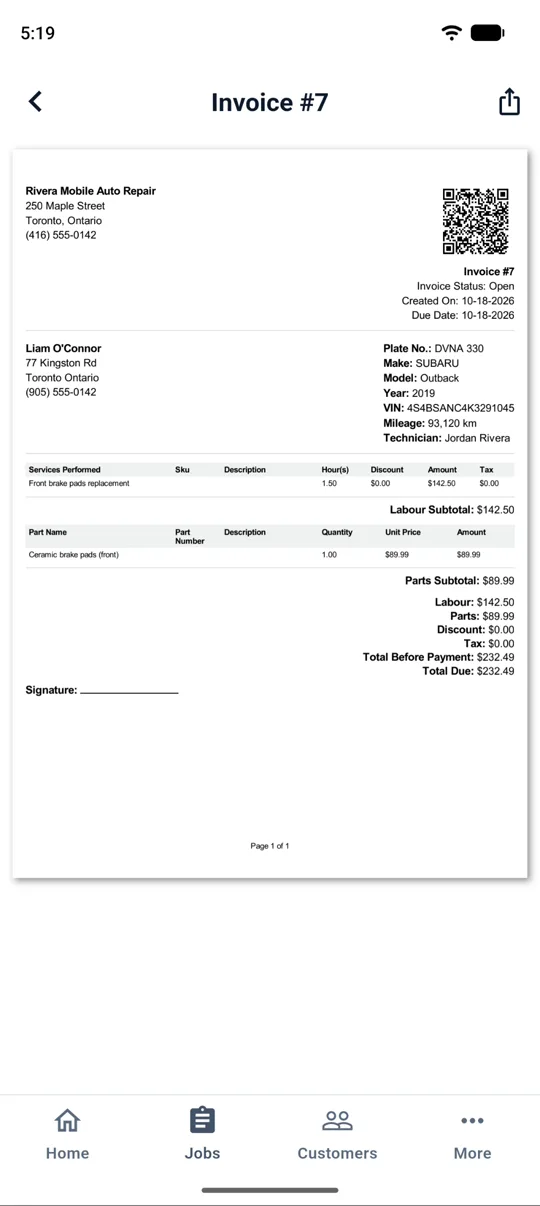
Writing invoices at night is the part of the job nobody likes. AutoViko builds the invoice from the estimate you already wrote, so the labour, parts and tax are already there.
The PDF carries your shop details and looks the same every time. Email it to the customer or share it through any app, then mark the job paid with the payment method so your records match your bank.
- Professional PDF invoice with your shop details
- Built from the estimate with one tap
- Email or share from your phone
- Mark paid: cash, card and more
From finished job to paid
- 1
Convert the estimate
Tap once to turn the approved estimate into an invoice. Adjust anything that changed during the job.
- 2
Share the PDF
Email the invoice or send it through any app on your phone while the customer is still there.
- 3
Mark it paid
Record how the customer paid and the job shows as paid.
Why mechanics invoice in AutoViko
Paid sooner
Send the invoice before you leave the job instead of at the end of the week.
Looks professional
A consistent PDF with your shop details builds trust with customers.
Clean records
Every invoice and payment method is stored with the job for tax time.
Questions
- Can I create an invoice from an estimate?
- Yes. One tap turns the estimate into an invoice with the same labour, parts and tax, so you never type the job twice.
- How do I send an invoice to the customer?
- AutoViko generates a PDF invoice with your shop details. Email it from the app or share it through any app on your phone.
- Can I record cash and card payments?
- Yes. When the customer pays, mark the job paid and record the payment method, such as cash or card.
Related features
Try AutoViko free for 10 days
Every feature included. $9.99/month after the trial, cancel anytime.