
Business profile and sales tax
Your business name, phone and address print on every estimate and invoice. Set your sales tax once and it is applied for you.
3 steps
- 1
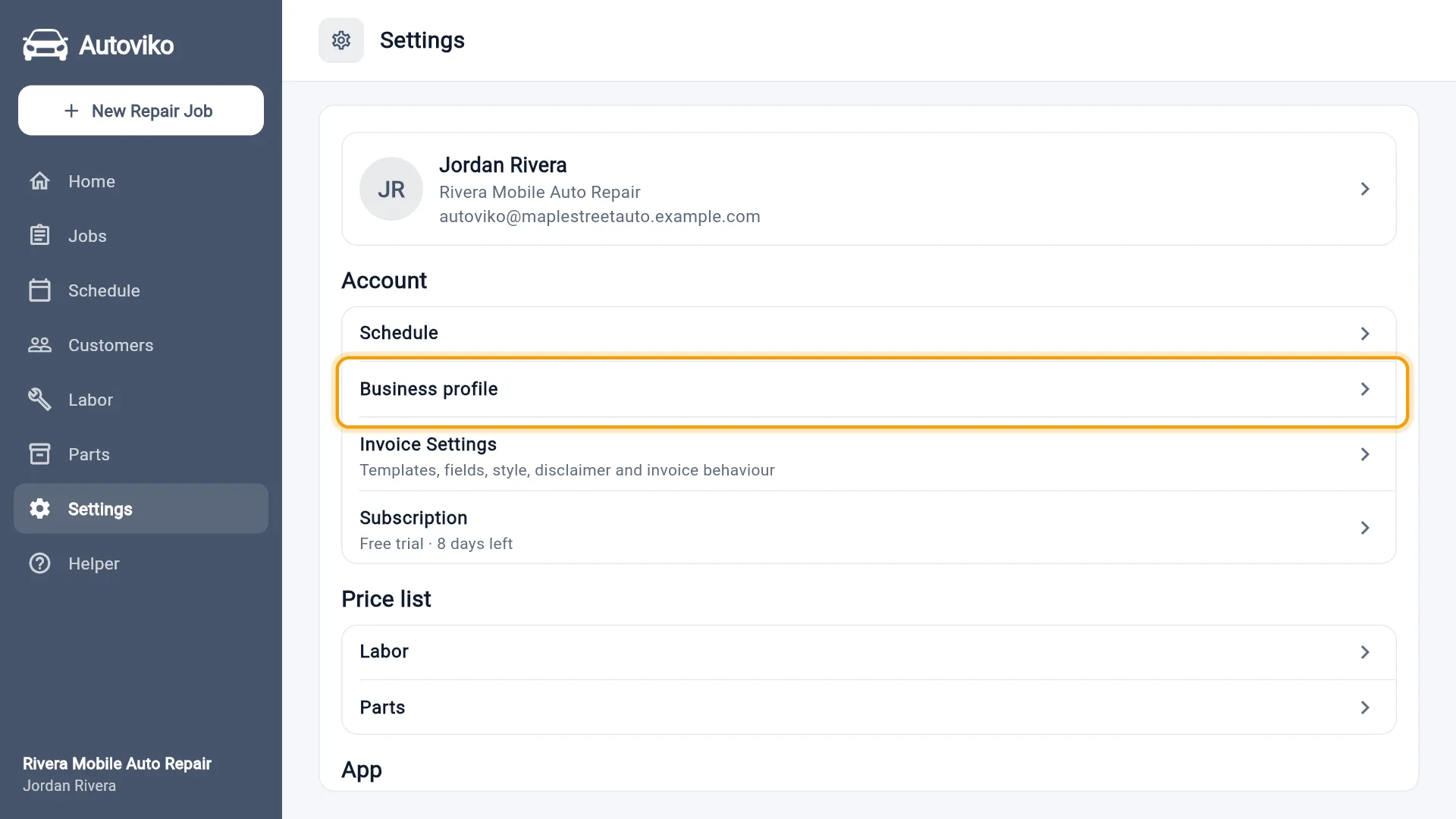
Open Settings → Business profile
Click Settings in the menu, then Business profile.
- 2
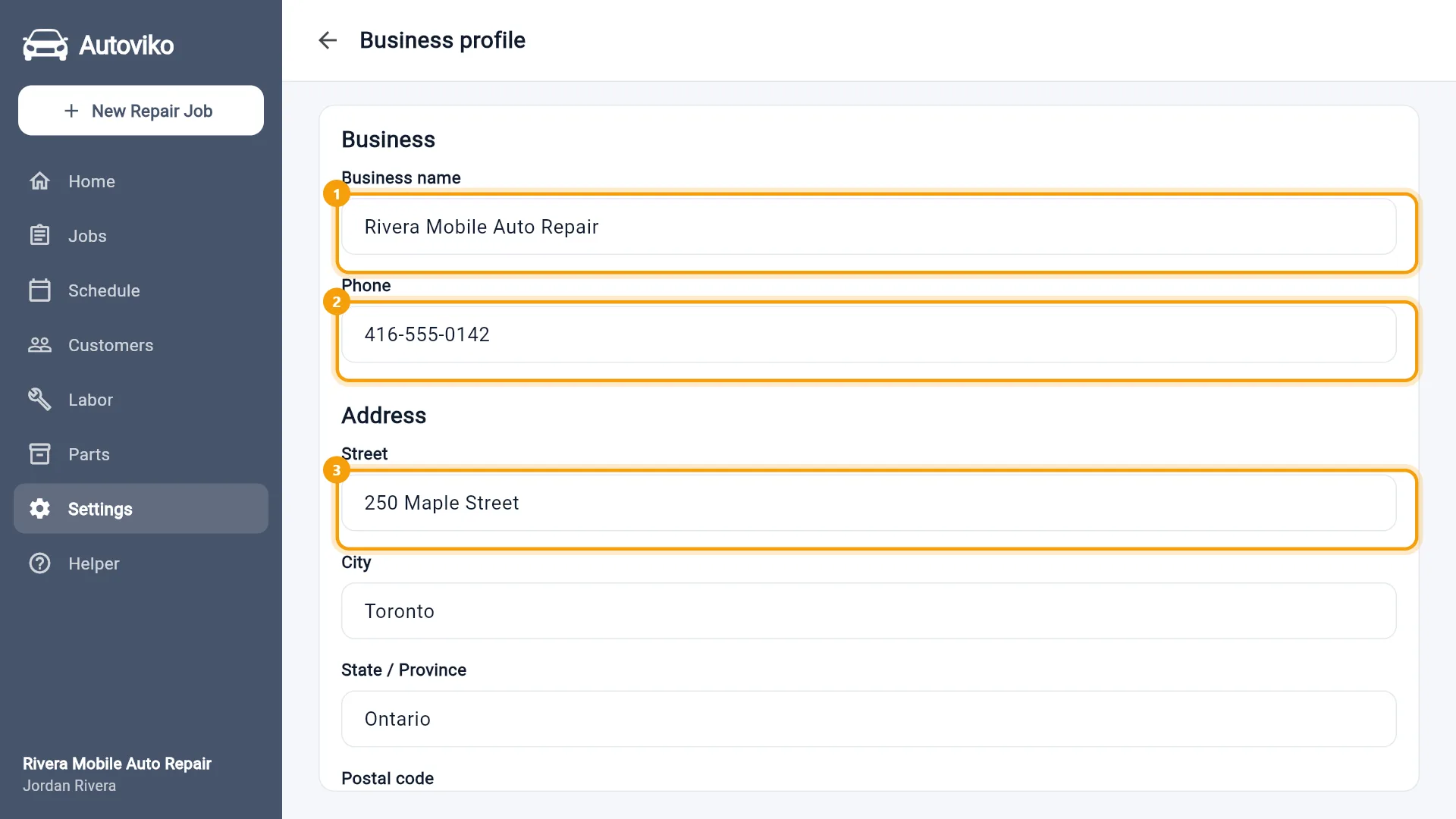
Business name and address
Check your Business name, Phone and Address. They appear at the top of your estimates and invoices.
- 3
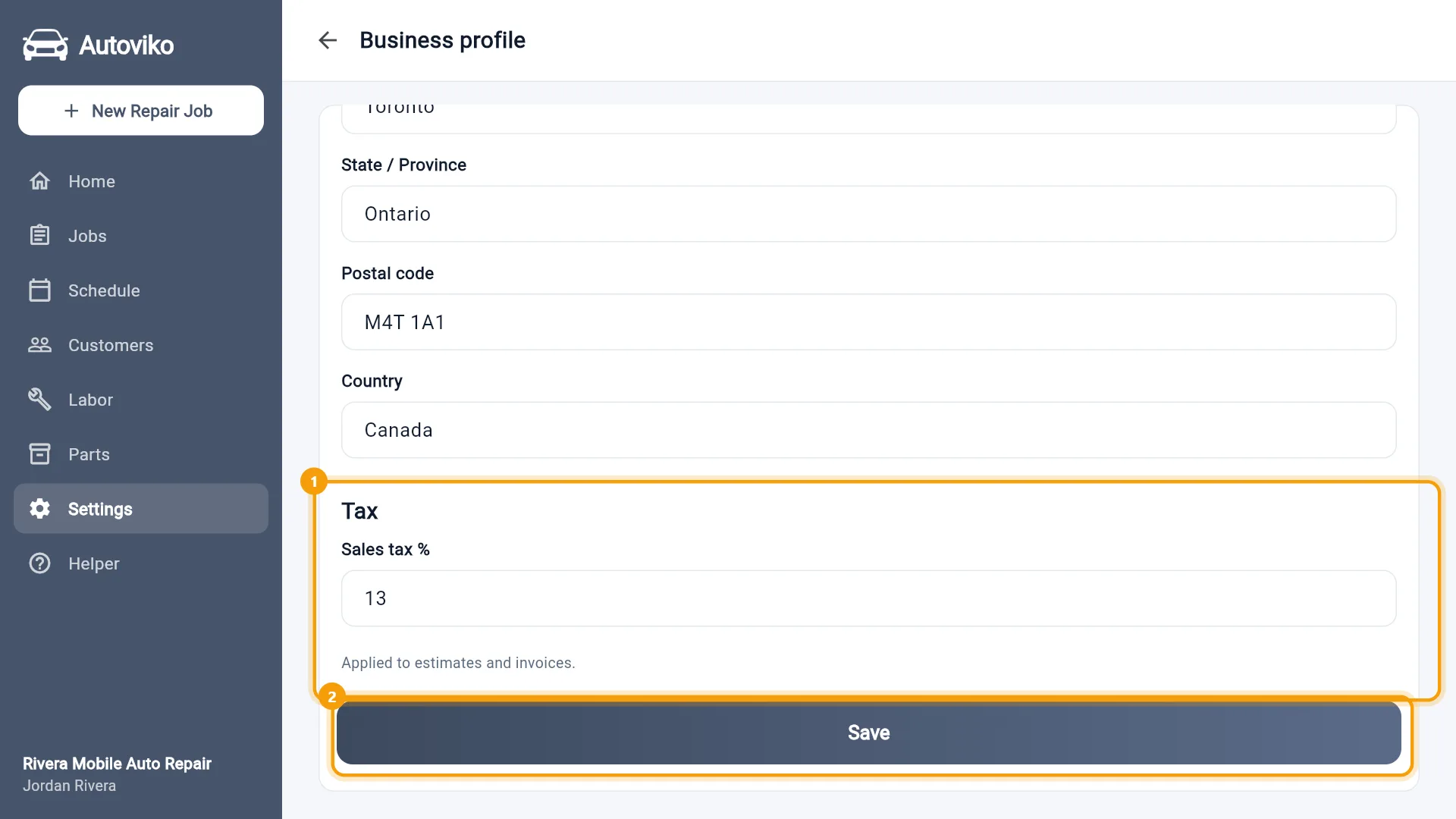
Set your sales tax
Scroll down to Tax and type your Sales tax % (for example 13 for Ontario HST). Click Save. It is applied to every estimate and invoice.
More in Schedule & settings
Screenshots taken from the AutoViko web app in October 2026, using a demo shop with sample data. The same guide is in the app under Helper.